
Sessions
Sessions mark the big trading sessions (Asia, London and New York) on the chart, or your own hours. You can also make order-flow tools reset on a session.
On this page
How to read it
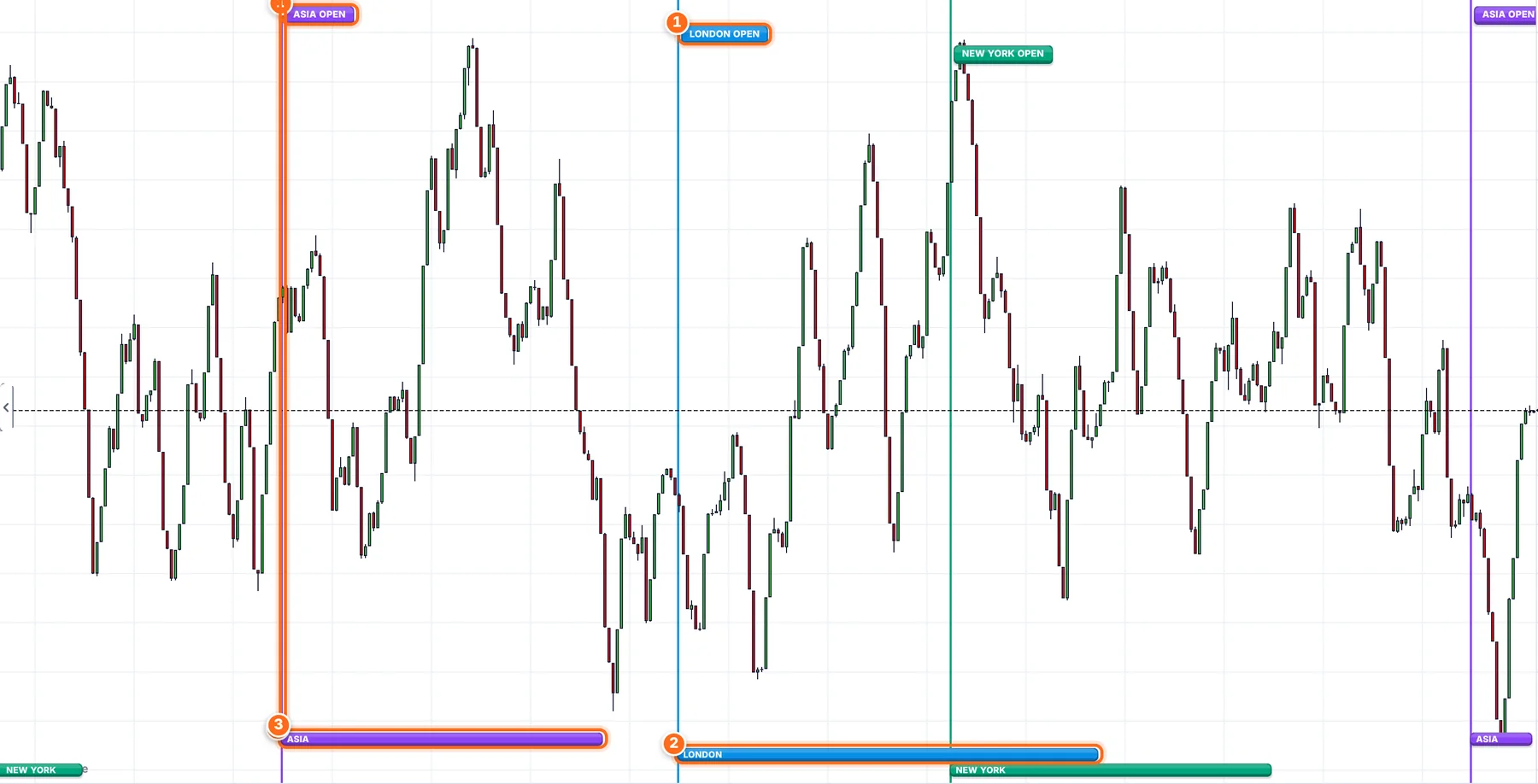
- The open of each session, with its tag.
- Ribbons along the bottom show how long each session runs.
- The line where a session opens.
Each session gets a coloured line and tag at its open and a ribbon along the bottom. Hours show in your time zone, and the standard sessions follow daylight saving in their home city, so they always sit on the real open.
Turn it on
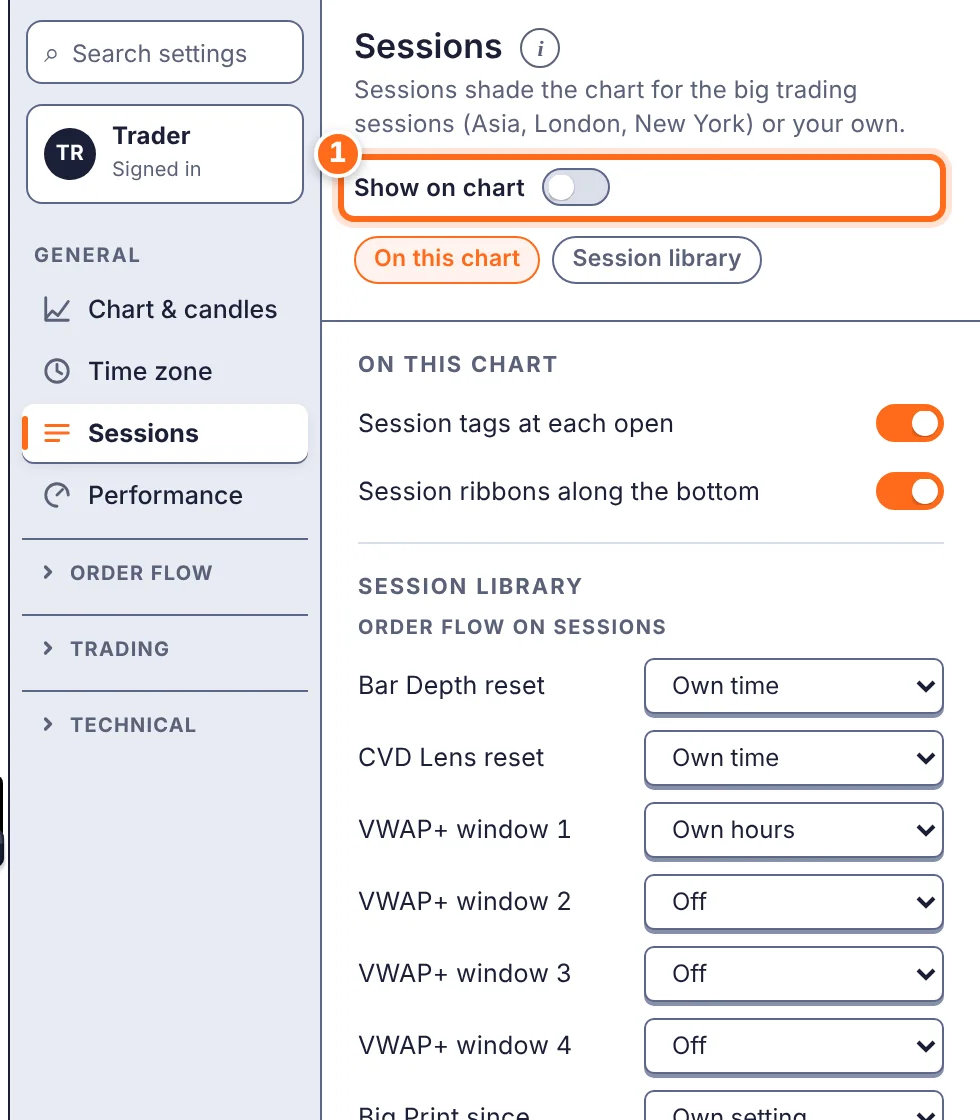
- Show on chart turns sessions on for this chart.
- Click ⚙ (Settings) at the far right of the toolbar.
- Under General, click Sessions.
- Turn on Show on chart.
- Under On this chart, choose Session tags at each open and Session ribbons along the bottom.
The session library
| Session | When |
|---|---|
| Crypto day | 00:00 UTC, the daily close. Off to start with. |
| Asia | Tokyo, 09:00 to 15:30, Monday to Friday. |
| London | London, 08:00 to 16:30, Monday to Friday. |
| New York | The US stock open, 09:30 to 16:00 New York time, Monday to Friday. |
| Funding | 00:00, 08:00 and 16:00 UTC, for 8-hour funding. Off to start with. |
Under Session library, turn each session on or off, and click Edit to change one.
| Setting | What it does |
|---|---|
| Show this session | On or off. |
| Name, Colour | What the tag says, and its colour. |
| Hours, Days | Start and end (HH:MM), and which days of the week it runs: click each day to turn it on or off. |
| Time zone | Local (follows the platform time zone) or any city, so the session tracks that city's daylight saving. |
| Lines | Open line, Close line, Shade the session (with opacity), Ribbon along the bottom, Session high / low and Tag at the open, with style and width. |
+ New session makes your own, any hours and any days. Delete this session removes one you made.
Link order flow to a session
Under Order flow on sessions, pick a session for each of these and they use its hours and home time zone:
| Setting | What follows the session |
|---|---|
| Bar Depth reset | When Bar Depth's running totals start again. |
| CVD Lens reset | When the CVD Lens starts counting from zero. |
| VWAP+ window 1 to 4 | The hours each VWAP+ window covers. |
| Big Print since | Where Big Print starts counting. |
Own time, Own hours or Own setting keeps the tool's own choice. Change a session once and everything linked to it follows, daylight saving included.
Questions
Why does the London line move by an hour in some weeks?
It follows daylight saving in London, so it stays on the real open. Your time zone and London's change on different dates.
Can I show only New York?
Yes. In the Session library, untick Asia and London.