Market Replay
Market Replay plays a chart's past again, trade by trade, so you can practise reading order flow and trading it without waiting for the market.
On this page
Start a replay

- Open a live chart with an order-flow tool or a footprint on, so its order flow loads, and make sure the history covers the time you want. See Load history.
- Click Replay in the toolbar.
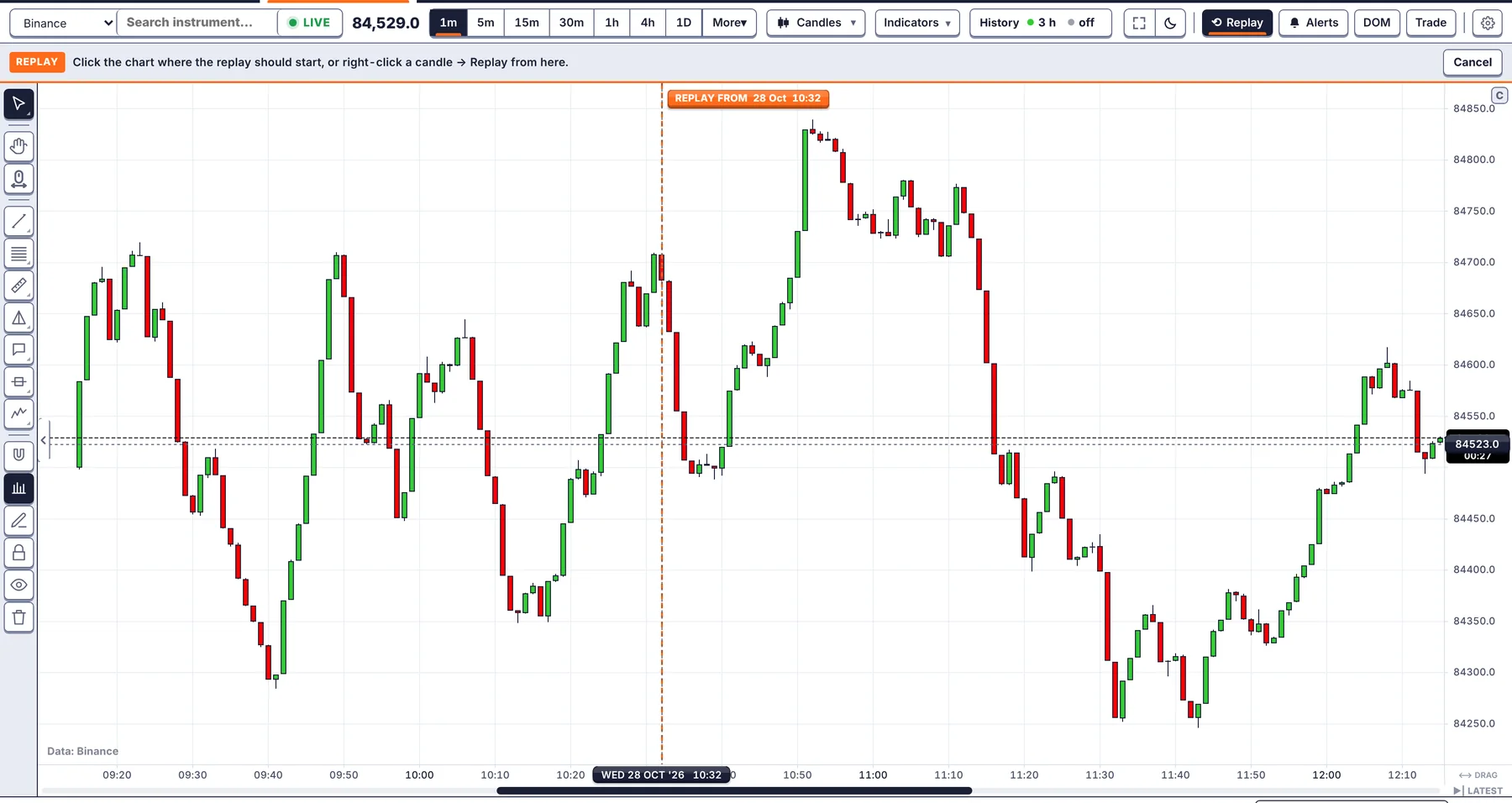
- Click the chart where the replay should start. Or skip the first two steps: right-click a candle and pick Replay from here.
- Everything after that moment disappears, then comes back as it happened when you press ▶ Play (or Space).
Candles, footprint, Profile+, Big Prints, CVD, VWAP and Bar Depth all rebuild trade by trade, exactly as they did live.
The controls
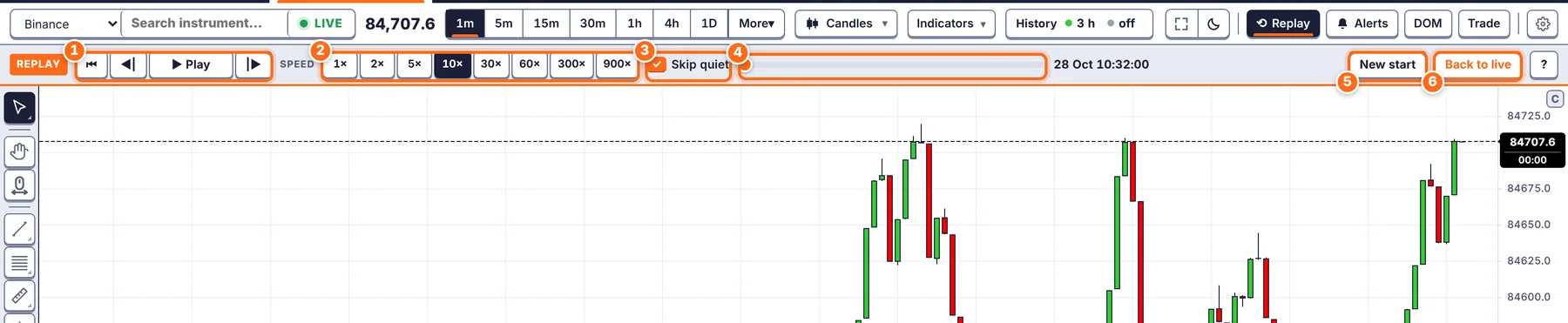
- ⏮ back to the start, ◀| one bar back, ▶ Play / ❚❚ Pause, and |▶ one bar forward.
- SPEED: how many seconds of market play each second, from 1× to 900×.
- Skip quiet jumps over stretches where nothing traded.
- The slider: drag to jump to any moment. The date and time show where you are.
- New start picks a new starting point.
- Back to live ends the replay and returns to now.
| Control | What it does |
|---|---|
| ▶ Play / ❚❚ Pause | Start or stop playing. Key: Space. |
| ◀| and |▶ | One bar back or forward. Keys: ← and →. Stepping pauses the replay. |
| ⏮ | Back to the start of this replay. |
| Speed | 1×, 2×, 5×, 10×, 30×, 60×, 300× or 900×. 60× plays a minute of market every second. |
| Skip quiet | Jumps over gaps where no trades happened, so slow hours don't waste your time. |
| Slider | Jump anywhere between the start and the end of the loaded history. |
| New start | Click the chart for a new starting point. Right-click → Replay from here instead does the same. |
| Back to live | Leave the replay. The live chart carries on as if you never left. |
| ? | Shows a short how-to under the strip. |
Trade the replay
Open Trade and use it as normal: market, limit and stop orders, take profit and stop loss, and dragging lines on the chart. The panel shows a REPLAY badge and a separate Replay account, so practising never touches your paper balance.
- Orders fill on the replayed trades, the same way paper orders fill on live ones.
- Pause at any time to think, place an order, then carry on.
What replay can and can't show
- Replay plays the order-flow history that's loaded. To go further back, load more days in History first. If you click outside the loaded range, a message tells you the earliest and latest start you can use.
- Market Depth is live only: past order books aren't recorded, so it doesn't show in a replay.
- Liquidations (Wipeouts) show as they happened.
- The live feed keeps running underneath while you replay, so live alerts still fire.
Questions
Does a replay download anything?
No. It plays what History has already loaded on your computer.
Can I replay range bars or a footprint chart?
Yes. Pick the chart type before you start, and the replay builds it trade by trade.
Why can't I start a replay?
Make sure the chart is connected and its order-flow history has finished loading. Replay is a Premium feature.